 Fluentd
Docker Logging Efk Compose
This article explains how to collect Docker logs to EFK (Elasticsearch + Fluentd + Kibana) stack. The example uses Docker Compose for setting up multiple containers.
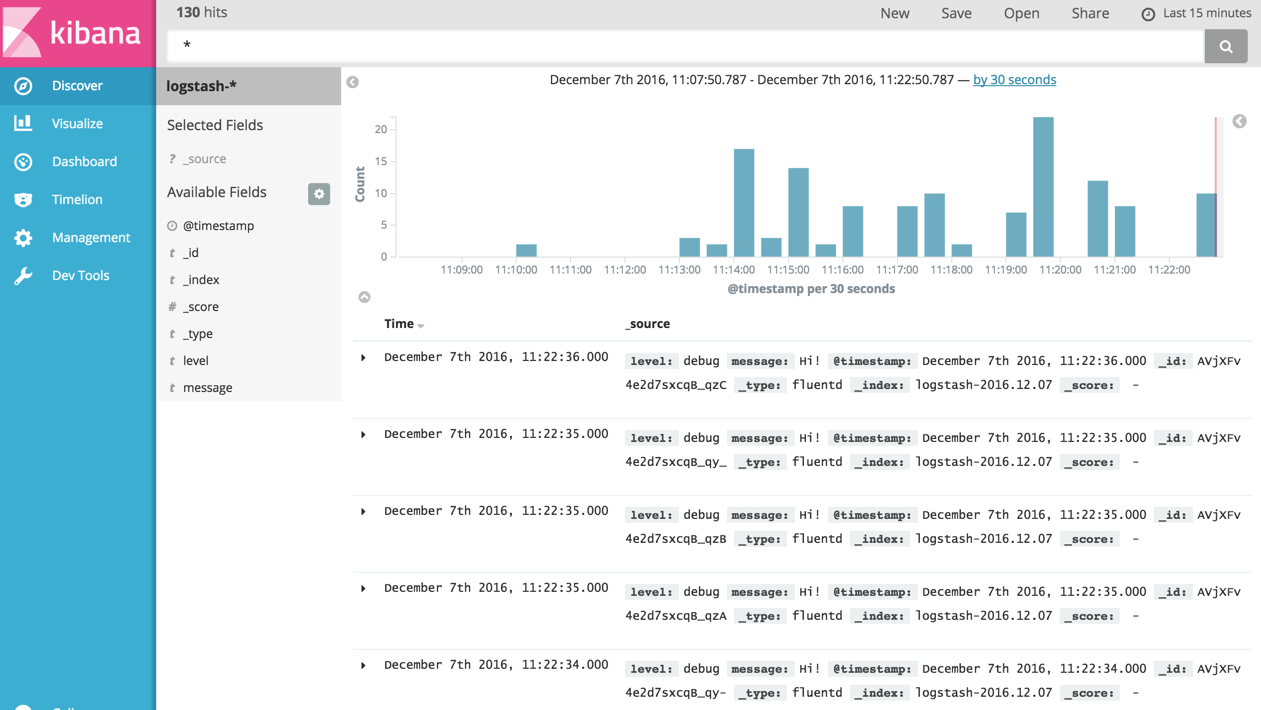
Elasticsearch is an open source search engine known for its ease of use. Kibana is an open source Web UI that makes Elasticsearch user friendly for marketers, engineers and data scientists alike.
By combining these three tools EFK (Elasticsearch + Fluentd + Kibana) we get a scalable, flexible, easy to use log collection and analytics pipeline. In this article, we will set up 4 containers, each includes:
All of httpd's logs will be ingested into Elasticsearch + Kibana, via Fluentd.
Prerequisites: Docker
Please download and install Docker / Docker Compose. Well, that's it :)
Step 0: prepare docker-compose.yml
First, please prepare docker-compose.yml for Docker Compose. Docker Compose is a tool for defining and running multi-container Docker applications.
With the YAML file below, you can create and start all the services (in this case, Apache, Fluentd, Elasticsearch, Kibana) by one command.
version: '2'
services:
  web:
    image: httpd
    ports:
      - "80:80"
    links:
      - fluentd
    logging:
      driver: "fluentd"
      options:
        fluentd-address: localhost:24224
        tag: httpd.access

  fluentd:
    build: ./fluentd
    volumes:
      - ./fluentd/conf:/fluentd/etc
    links:
      - "elasticsearch"
    ports:
      - "24224:24224"
      - "24224:24224/udp"

  elasticsearch:
    image: elasticsearch
    expose:
      - 9200
    ports:
      - "9200:9200"

  kibana:
    image: kibana
    links:
      - "elasticsearch"
    ports:
      - "5601:5601"
logging section (check Docker Compose documentation) of web container specifies Docker Fluentd Logging Driver as a default container logging driver. All of the logs from web container will be automatically forwarded to host:port specified by fluentd-address.
Step 1: Prepare Fluentd image with your Config + Plugin
Then, please prepare fluentd/Dockerfile with the following content, to use Fluentd's official Docker image and additionally install Elasticsearch plugin.
# fluentd/Dockerfile
FROM fluent/fluentd:v0.12-debian
RUN ["gem", "install", "fluent-plugin-elasticsearch", "--no-rdoc", "--no-ri", "--version", "1.9.2"]
Then, please prepare Fluentd's configuration file fluentd/conf/fluent.conf. in_forward plugin is used for receive logs from Docker logging driver, and out_elasticsearch is for forwarding logs to Elasticsearch.
# fluentd/conf/fluent.conf
<source>
  @type forward
  port 24224
  bind 0.0.0.0
</source>
<match *.**>
  @type copy
  <store>
    @type elasticsearch
    host elasticsearch
    port 9200
    logstash_format true
    logstash_prefix fluentd
    logstash_dateformat %Y%m%d
    include_tag_key true
    type_name access_log
    tag_key @log_name
    flush_interval 1s
  </store>
  <store>
    @type stdout
  </store>
</match>
Step 2: Start Containers
Let's start all of the containers, with just one command.
$ docker-compose up
You can check to see if 4 containers are running by docker ps command.
$ docker ps
CONTAINER ID        IMAGE                      COMMAND                  CREATED             STATUS              PORTS                                                          NAMES
2d28323d77a3        httpd                      "httpd-foreground"       About an hour ago   Up 43 seconds       0.0.0.0:80->80/tcp                                             dockercomposeefk_web_1
a1b15a7210f6        dockercomposeefk_fluentd   "/bin/sh -c 'exec ..."   About an hour ago   Up 45 seconds       5140/tcp, 0.0.0.0:24224->24224/tcp, 0.0.0.0:24224->24224/udp   dockercomposeefk_fluentd_1
01e43b191cc1        kibana                     "/docker-entrypoin..."   About an hour ago   Up 45 seconds       0.0.0.0:5601->5601/tcp                                         dockercomposeefk_kibana_1
b7b439415898        elasticsearch              "/docker-entrypoin..."   About an hour ago   Up 50 seconds       0.0.0.0:9200->9200/tcp, 9300/tcp                               dockercomposeefk_elasticsearch_1
Step 3: Generate httpd Access Logs
Let's access to httpd to generate some access logs. curl command is always your friend.
$ repeat 10 curl http://localhost:80/
<html><body><h1>It works!</h1></body></html>
<html><body><h1>It works!</h1></body></html>
<html><body><h1>It works!</h1></body></html>
<html><body><h1>It works!</h1></body></html>
<html><body><h1>It works!</h1></body></html>
<html><body><h1>It works!</h1></body></html>
<html><body><h1>It works!</h1></body></html>
<html><body><h1>It works!</h1></body></html>
<html><body><h1>It works!</h1></body></html>
<html><body><h1>It works!</h1></body></html>
Step 4: Confirm Logs from Kibana
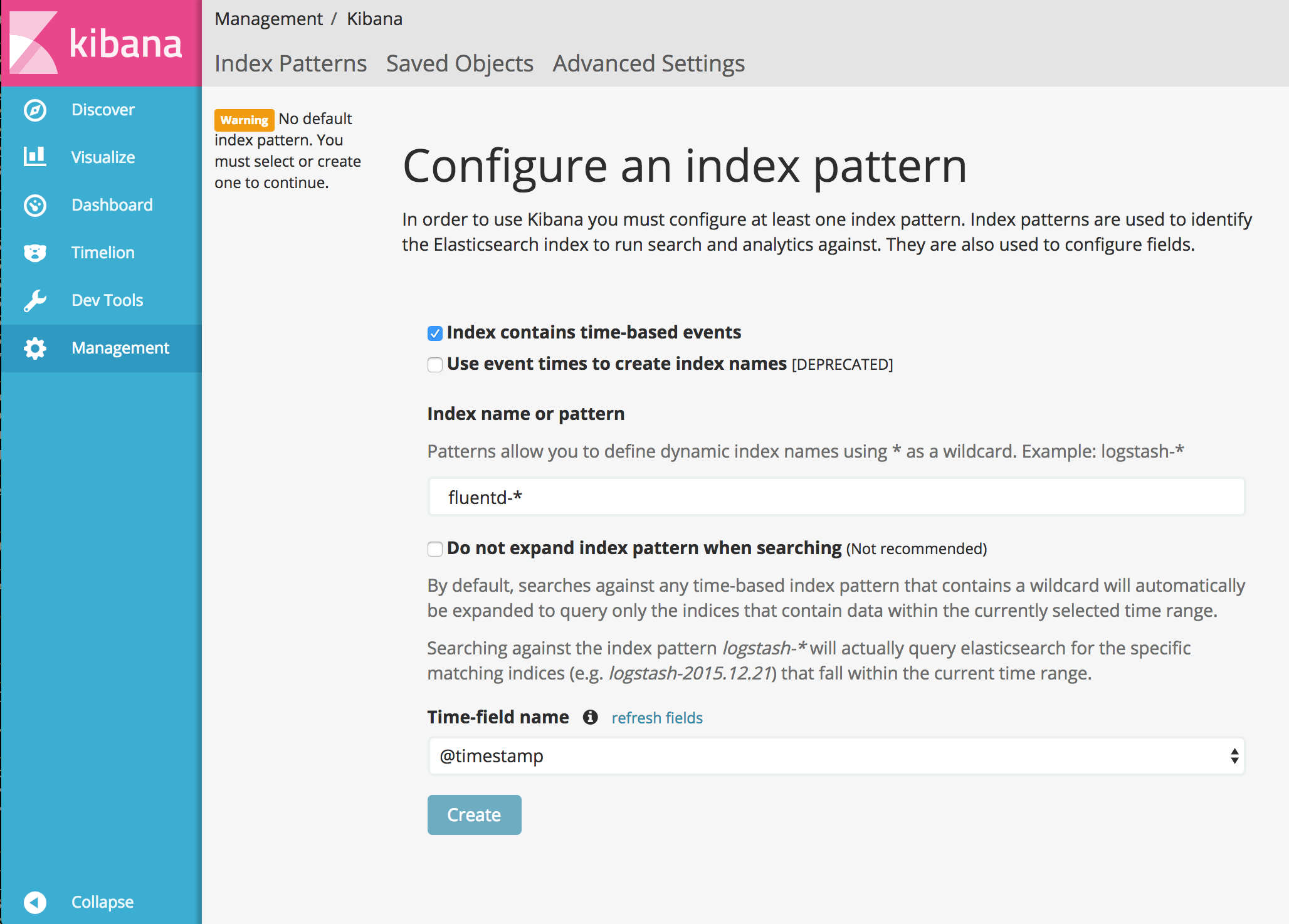
Please go to http://localhost:5601/ with your browser. Then, you need to set up the index name pattern for Kibana. Please specify fluentd-* to Index name or pattern and press Create button.
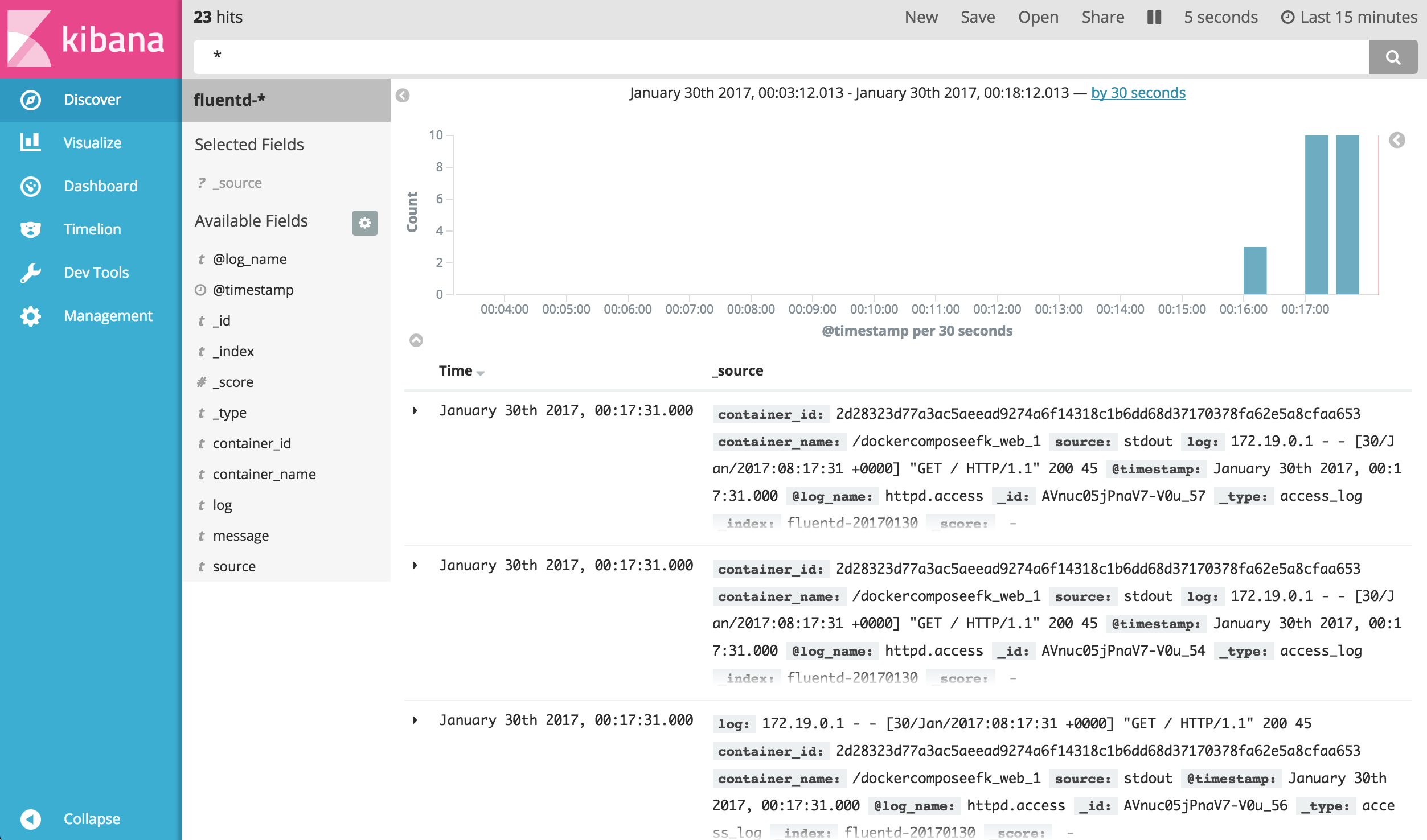
Then, go to Discover tab to seek for the logs. As you can see, logs are properly collected into Elasticsearch + Kibana, via Fluentd.
Conclusion
This article explains how to collect logs from Apache to EFK (Elasticsearch + Fluentd + Kibana). The example code is available in this repository.
Learn More
If this article is incorrect or outdated, or omits critical information, please let us know. Fluentd is a open source project under Cloud Native Computing Foundation (CNCF). All components are available under the Apache 2 License.